▼ In This Article
If you run operations for a community theatre, you already know the real job isn’t selling tickets. It’s keeping a scarce, shared space running smoothly for a dozen different groups who all think they have priority: the rehearsing cast, the rental client who booked the lobby for a wedding shower, the volunteer stage crew building a set, and the board that wants a clean report by Friday.
Most theatres start with a shared calendar, a stack of email threads, and a lot of goodwill. That works fine for a while. Then two groups get double-booked for the same rehearsal room, a rental deposit gets forgotten, or nobody can remember who approved the extra chairs for Saturday’s event. That’s usually the moment someone starts searching for community theatre booking software - not because they want new software for its own sake, but because the spreadsheet has finally broken.
This guide walks through what community theatre booking software actually is, how it’s different from ticketing or production-scheduling tools, which features matter most, and how to evaluate and implement a system without disrupting the volunteers and staff who keep your theatre running. Along the way, we’ll look at where Microsoft 365 tools like Outlook and Bookings are genuinely enough - and where they start to fall short.
What Is Community Theatre Booking Software?
Definition
Community theatre booking software is a system that manages the scheduling, approval, and coordination of a theatre’s physical spaces and resources - stages, rehearsal rooms, black boxes, studios, classrooms, lobbies, and equipment - across every group that uses them: productions, rentals, classes, board meetings, and community events.
At its core, it answers one question reliably: who has this space, at this time, and what do they need to make it happen?
How It Differs from Ticketing, Staff Scheduling, and Production Scheduling
These categories get blurred constantly in vendor marketing, so it helps to separate them clearly.
| Software Type | What It Manages | What It Doesn’t Solve |
|---|---|---|
| Ticketing software (ThunderTix, On The Stage, Eventbrite) | Patron sales, seating charts, subscriptions, box office | Room conflicts, rentals, contracts, resource allocation |
| Staff/production scheduling (Cast98, StageManager) | Cast and crew schedules, rehearsal calendars, auditions | Outside rentals, facility-wide conflict detection, deposits |
| Generic calendar tools (Google Calendar, shared Outlook calendars) | Basic date/time blocking | Approval workflows, contracts, resource dependencies, reporting |
| Venue/booking software (VenueArc and similar) | Space availability, holds, approvals, contracts, deposits, resource tracking, settlements, reporting | Not a replacement for ticketing - works alongside it |
Most community theatres eventually need all three layers working together: booking software to manage the space and rentals, production scheduling for cast and crew, and ticketing for patrons. The problem starts when theatres try to force one tool - usually a shared calendar - to do all three jobs at once.
Why Spreadsheets and Shared Calendars Break Down
A shared calendar works when one person manages a handful of bookings. It stops working once a theatre has multiple spaces, volunteer turnover, and outside renters involved. The common failure points:
- Double bookings. Two people editing the same calendar can easily overlap a rehearsal with a rental, especially when “the stage” and “the lobby” aren’t tracked as separate resources.
- Missing setup details. A booking entry might say “Saturday, 2pm-6pm” with no mention of chairs, AV, or who’s responsible for setup and teardown.
- No audit trail. When something goes wrong, there’s no record of who approved what, or when a change was made.
- Volunteer handoff gaps. Community theatres run on volunteers who rotate seasonally. Institutional knowledge about “how we’ve always booked the black box” walks out the door with them.
- No reporting. Boards ask for utilization and rental revenue numbers that nobody can produce without hours of manual reconciliation.
None of this means your team is disorganized - it means the tool has outgrown its job.
Core Features to Look For
When evaluating booking software, focus on features that solve the operational pain points above rather than a generic checklist.
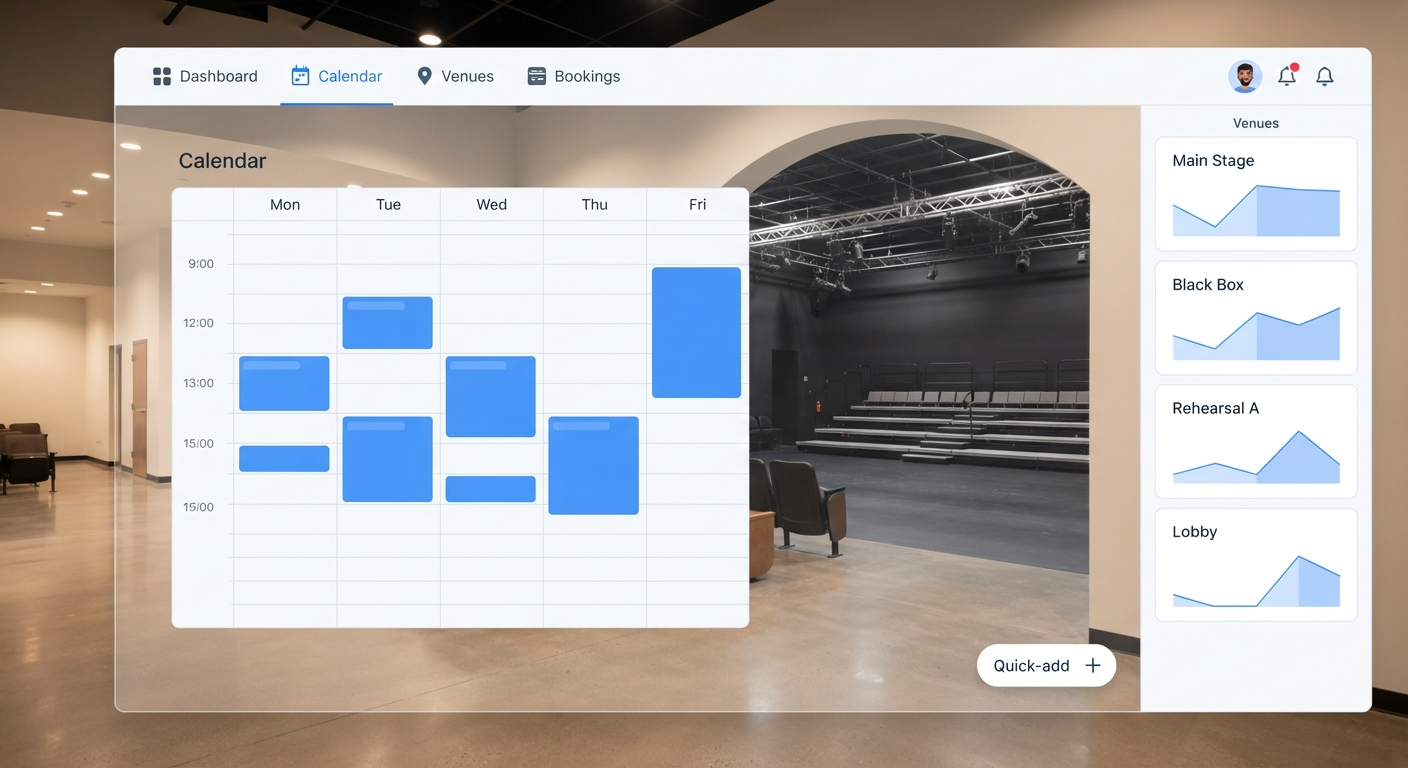
- Unified venue calendar - every space (main stage, black box, studio, classroom, lobby) visible in one view, with conflicts flagged automatically.
- Rental request forms - a self-service way for outside renters to request space online instead of emailing.
- Conflict detection - the system blocks or flags overlapping bookings for the same space or shared resource (like a single sound board used across two rooms).
- Recurring bookings with exceptions - rehearsals that repeat weekly but need to shift around a one-off event.
- Approval workflows - requests route to the right person (venue manager, technical director, board liaison) before they’re confirmed.
- Contracts and deposit tracking - rental agreements and deposit schedules tied directly to the booking, not stored separately.
- Resource and AV tracking - chairs, lighting, piano, sound equipment, and staffing notes attached to each booking.
- CRM for renters and patrons - a record of repeat renters, contact details, and booking history.
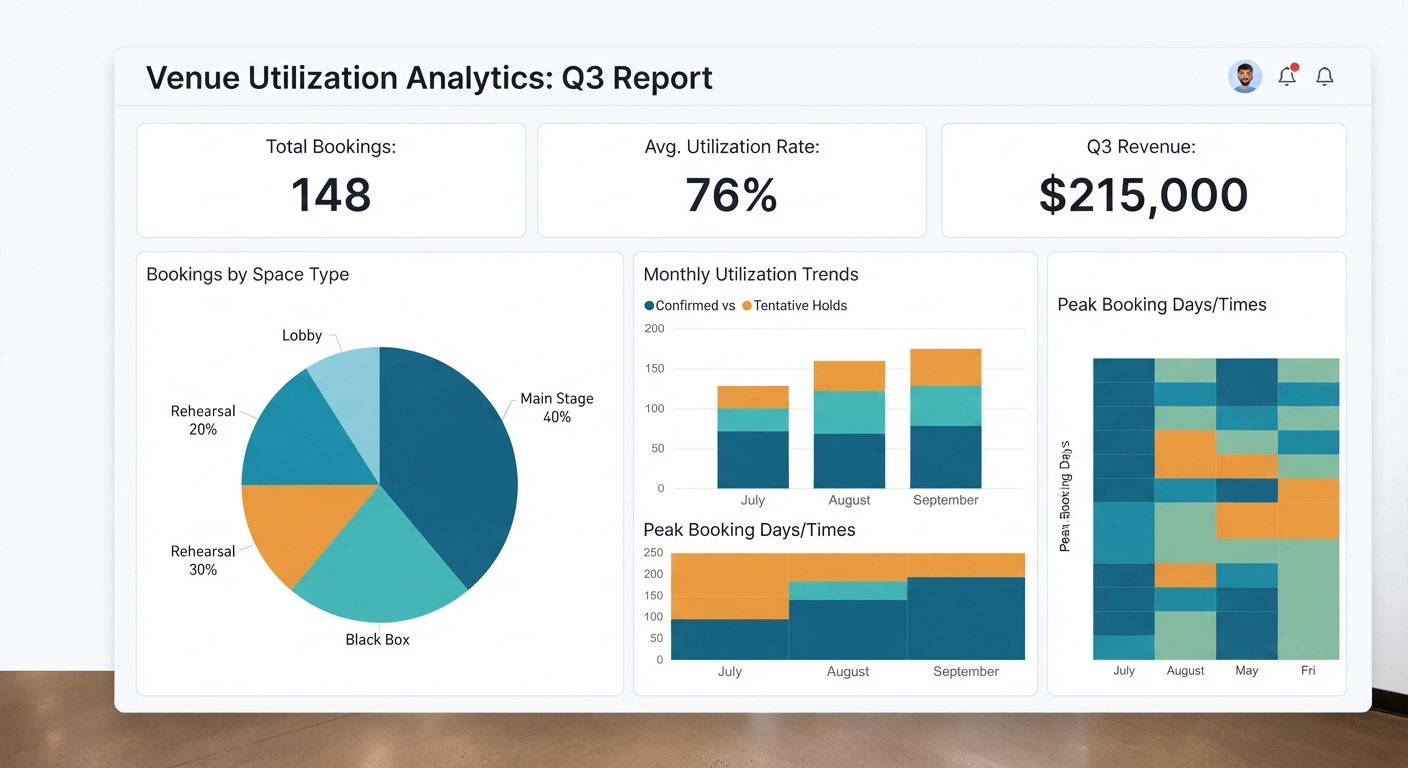
- Dashboards and reporting - space utilization, rental revenue, and admin hours saved, presentable to a board without manual spreadsheet work.
- Role-based permissions - staff, volunteers, renters, finance, and board members each see only what’s relevant to them.
Microsoft 365 vs. Dedicated Booking Software
Many community theatres already run on Microsoft 365, which raises a fair question: can Outlook and Teams handle this without buying anything new?
The honest answer is: partially, and for a while.
- Exchange resource mailboxes let you reserve rooms and equipment with booking rules and delegate approval - useful for simple, single-space scheduling.
- Microsoft Bookings provides an appointment page with Outlook and Teams integration, which works well for simple appointment-style scheduling.
- SharePoint Lists and Power Automate can be configured to track rental requests and trigger basic approval notifications.
- Power Apps and Dataverse can go further, letting a theatre build a custom booking form and database if there’s someone available to build and maintain it.
- Power BI can turn that data into utilization and revenue dashboards once it’s properly structured.
Where this starts to break down is exactly where community theatres get complicated: multi-room conflict logic across dependent resources (a rehearsal in the black box that also needs the shared sound equipment), contract and deposit tracking tied to a booking, settlement workflows for finance, and reporting that doesn’t require someone to manually build a Power BI model from scratch.
| Need | Microsoft 365 Native Tools | Dedicated Booking Software |
|---|---|---|
| Single-room scheduling | Sufficient | Sufficient |
| Multi-room conflict detection | Limited, requires custom build | Built in |
| Rental contracts & deposits | Requires manual tracking or custom app | Built in |
| Settlement & finance workflows | Requires custom Power Automate flows | Built in |
| Board-ready reporting | Requires Power BI setup and maintenance | Built in, ready to use |
| Volunteer ease-of-use | Depends on custom build quality | Designed for non-technical users |
A practical way to think about it: start with Microsoft 365 tools if your booking needs are simple, and move to a purpose-built system like VenueArc once rentals, conflicts, approvals, contracts, and settlements become mission-critical to daily operations. VenueArc is built on Azure, Power Platform, and SharePoint, so theatres already invested in Microsoft 365 don’t have to abandon that ecosystem - they extend it with a booking layer designed specifically for venue operations.
Booking Software Comparison Matrix
| Feature | Generic Calendar | Ticketing Software | Production Scheduling | Dedicated Venue Booking Software |
|---|---|---|---|---|
| Room/resource conflict detection | No | No | Limited | Yes |
| Outside rental requests | Manual | No | No | Yes |
| Contracts and deposits | No | No | No | Yes |
| Approval workflows | No | No | Limited | Yes |
| Board reporting | Manual | Limited | No | Yes |
| Patron ticket sales | No | Yes | No | Often integrated |
| Cast/crew scheduling | Manual | No | Yes | Often integrated |
Practical Examples by Venue Type
Booking challenges look a little different depending on the kind of space you run.
- Community theatres - juggling rehearsal space, mainstage productions, and outside rentals (weddings, recitals, corporate events) in the same building.
- Performing arts centers - coordinating multiple resident companies, touring shows, and rental clients across several performance spaces.
- Churches and houses of worship - balancing weekly services, rehearsals, weddings, funerals, and community group meetings, often with volunteer schedulers.
- Park districts and recreation centers - managing gyms, studios, and multipurpose rooms across dozens of classes, leagues, and public rentals.
- Multi-site venue operators - needing a single source of truth across locations instead of a separate spreadsheet per building.
In each case, the underlying problem is the same: too many groups, too little space, and no shared system of record.
Common Challenges and How to Avoid Them
- Challenge: Double-booked spaces. Avoid it by requiring every booking - including internal rehearsals - to go through the same system, not just outside rentals.
- Challenge: Volunteer turnover losing institutional knowledge. Avoid it by documenting booking rules and approval steps inside the system itself, not in someone’s memory.
- Challenge: Forgotten deposits or unsigned contracts. Avoid it by tying contracts and deposit schedules directly to the booking record, with automatic reminders.
- Challenge: Renters unclear on what’s included. Avoid it by using standardized rental request forms that capture AV, chairs, and setup needs upfront.
- Challenge: No visibility for the board. Avoid it by generating utilization and revenue reports automatically rather than compiling them manually before every meeting.
- Challenge: Overloading one “calendar person.” Avoid it by using role-based permissions so multiple staff and volunteers can safely manage bookings without stepping on each other.
Best Practices
- Treat every space - including rehearsal rooms and the lobby - as a bookable resource, not just the main stage.
- Require a single intake form for all rental requests, so nothing arrives as a scattered email.
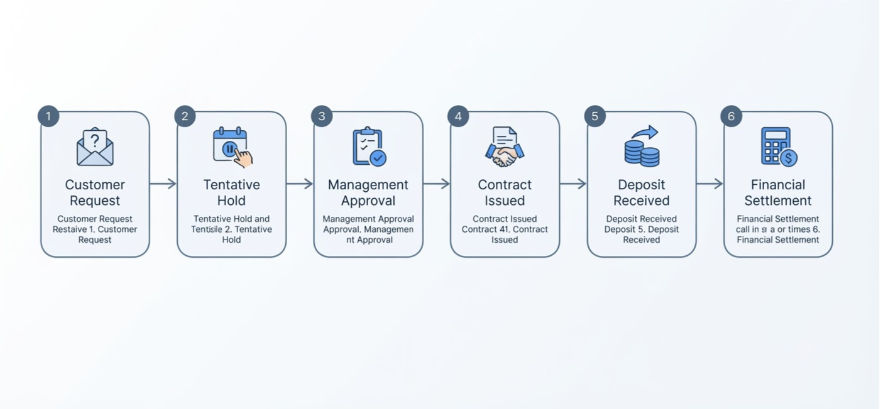
- Build in a soft-hold period before a booking is fully confirmed, to avoid pressuring renters into rushed decisions.
- Standardize your approval chain (venue manager, then finance for deposits, then final confirmation) so it’s consistent regardless of who’s on duty.
- Review utilization reports quarterly, not just when the board asks.
- Migrate active, upcoming bookings first when switching systems - don’t try to backfill years of historical data before going live.
Future Trends in Venue Management
- AI-assisted scheduling that flags likely conflicts before they happen, based on historical booking patterns.
- Deeper Microsoft 365 integration, with booking data flowing directly into Teams, Outlook, and Power BI dashboards without manual exports.
- Self-service renter portals that let outside groups check availability and request space without staff involvement.
- Consolidation of event technology. Forrester has noted that many organizations run overlapping event tools and increasingly favor all-in-one platforms that unify data and reduce duplicate systems.
- Growing market investment. Grand View Research estimates the global event management software market at roughly $18.4 billion in 2026, growing toward $39.6 billion by 2033 - a signal that venues of every size are investing more seriously in dedicated operational tools rather than ad hoc solutions.
Vendor Evaluation Checklist
Before booking a demo, get clear answers to:
- Does the system handle multi-room conflict detection, including shared resources like AV equipment?
- Can outside renters submit requests online without staff manually entering them?
- Are contracts, deposits, and settlements tracked inside the booking record?
- What does board-level reporting look like out of the box?
- How steep is the learning curve for volunteers with limited technical background?
- Does it integrate with tools you already use - Microsoft 365, your ticketing platform, your accounting software?
- What access controls exist for staff, renters, volunteers, finance, and board members?
- How long does implementation realistically take for a team your size?
Implementation Roadmap for Volunteer-Led Theatres
- Audit your spaces and resources. List every bookable room, plus shared equipment like sound systems or a piano.
- Define your booking rules. Who can approve what, and what needs finance sign-off?
- Digitize your rental intake form. Replace email requests with a standard online form.
- Migrate active bookings first. Bring in upcoming and recurring bookings before worrying about historical records.
- Train staff and key volunteers. Focus training on the people who touch the calendar most often.
- Review utilization after 90 days. Use early reporting to refine your rules and catch gaps.
ROI and Business Outcomes
The value of booking software shows up in a few measurable places: fewer double-bookings and the disruption they cause, admin hours no longer spent reconciling spreadsheets, rental revenue that’s actually captured instead of lost to slow email replies, and faster contract turnaround that keeps renters from walking away.
This isn’t a small-stakes conversation for the sector. Theatre Communications Group’s Theatre Facts 2023 report found that nonprofit theatres contributed more than $3.6 billion to the U.S. economy and drew over 27 million attendees - while 61% of surveyed theatres reported negative unrestricted net assets, underscoring how much operational efficiency matters to financial sustainability. On the broader nonprofit arts side, AEP6 research found attendees spend an average of $38.46 per person beyond admission at nonprofit arts and culture events, which makes every successfully booked rental or event meaningful revenue, not just a scheduling exercise.
For theatres already running on Microsoft 365, VenueArc’s community theatre booking and event management tools are built to extend that existing investment - adding the booking calendar, contract generator, settlement tracking, and permissions layer that spreadsheets and generic calendars can’t provide, without asking your team to abandon the Microsoft ecosystem they already know.
Key Takeaways
Community theatres run on scarce space, volunteer labor, and trust - and spreadsheets simply weren’t built to hold all three together once rentals, rehearsals, and events start overlapping. The theatres that move past double-bookings and reporting headaches aren’t necessarily the ones with the biggest budgets; they’re the ones with a single, reliable system of record for their spaces.
Whether you start with Microsoft 365 tools or move straight to a dedicated platform, the goal is the same: one place where everyone - staff, volunteers, renters, and the board - can trust what the calendar says.
If your theatre is ready to move past spreadsheet chaos, explore how VenueArc’s booking and event management tools can bring your rentals, rehearsals, contracts, and reporting into one system - or reach out to request a demo built around your theatre’s actual workflow.
Frequently asked questions
- What is community theatre booking software?
It's a system for managing the scheduling, approval, and coordination of a theatre's spaces and resources — rehearsals, rentals, and events — in one place, with contracts, deposits, and reporting built in.
The reason theatres need something more structured than a calendar is that a production is not a single booking. It is a rehearsal block spanning weeks, a technical week with different space requirements, a load-in, a run, and a strike — all interdependent, and all competing with rentals that pay the bills.
Booking software keeps those relationships intact. Moving an opening night should move the load-in and strike with it, rather than leaving three orphaned calendar entries that someone eventually notices are wrong.
- How is venue booking software different from theatre ticketing software?
Ticketing software manages patron sales and seating. Booking software manages the space itself — who has it, when, and under what terms — regardless of whether tickets are involved.
The distinction matters because a large share of a community theatre's calendar has no tickets attached at all. Rehearsals, workshops, board meetings, corporate rentals, and school use all occupy the building and create conflicts, but none of them appear in a ticketing system.
That is why theatres running only ticketing tend to have an accurate view of performances and a vague one of everything else. The nights that generate revenue are visible; the far larger number of days when the building is in use for something else are tracked informally, which is exactly where double-bookings originate.
- Can Microsoft 365 handle community theatre room booking?
For simple, single-room scheduling, yes. Once you need multi-room conflict detection, contracts, deposits, and board reporting, most theatres outgrow native Microsoft 365 tools without custom development.
Theatre spaces are unusually interdependent, which is where the mailbox model breaks down. A set built on the main stage makes the stage unavailable for weeks even when nothing is scheduled, and a rehearsal in an adjacent room may be impossible during a technical rehearsal for noise reasons alone.
Those dependencies cannot be expressed as independent room bookings. A calendar will happily accept both, because it has no way of knowing that one physically prevents the other — and the conflict surfaces when two groups arrive expecting the same building.
- When should a theatre move beyond spreadsheets?
Once you have more than one bookable space, outside renters, or a volunteer team large enough that no single person can track everything from memory.
The third condition is the one that actually forces the change, and it is rarely recognised until something goes wrong. Volunteer-run theatres typically depend on one or two people who hold the entire schedule mentally, and while they are present the system works remarkably well.
The exposure appears when they step back — a role change, a busy season, or simply a holiday. Nobody else can say what was agreed with a renter, which dates are provisionally held, or why a particular week is blocked. Spreadsheets record decisions but not the reasoning, and in a theatre the reasoning is most of the value.
- Does booking software replace ticketing software?
No. Booking software manages the space; ticketing manages patron sales. Many theatres run both together, and that is the normal arrangement rather than a compromise.
They solve different problems for different audiences. Ticketing faces the public and handles seating, pricing, and purchase. Booking faces staff and handles who occupies which space, when, and on what terms — including the large majority of dates that never involve a patron.
The useful connection between them is sequencing rather than replacement. A performance date should be confirmed in the booking system before it goes on sale, because a ticketed show scheduled into a space already committed to a rental is a considerably harder problem to unwind once the public has bought seats.
- How long does implementation take?
For volunteer-led theatres, a phased rollout starting with active bookings typically takes a few weeks rather than months.
Starting with active bookings rather than full history is the decision that keeps it short. Migrating years of past seasons feels thorough but delivers little, and it is the step that most often stalls a rollout indefinitely. What the theatre actually needs is an accurate picture of what is committed from today forward.
The pace is usually set by people rather than data. Volunteer teams cannot be trained all at once, so the practical approach is to get the small group who manage bookings working in the system first, then widen access once the calendar is reliable enough that others can trust what it shows.
Want technology done right?
Get a free assessment from an Inc. 5000 Microsoft Solutions Partner.
Get Free Assessment ->