venue management
Event Booking Software: What Venue Managers Should Look For in 2026
Learn how event booking software requirements have changed since 2023, from self-service and AI-assisted inquiries to mobile approvals and integrations.
IN THIS ARTICLE
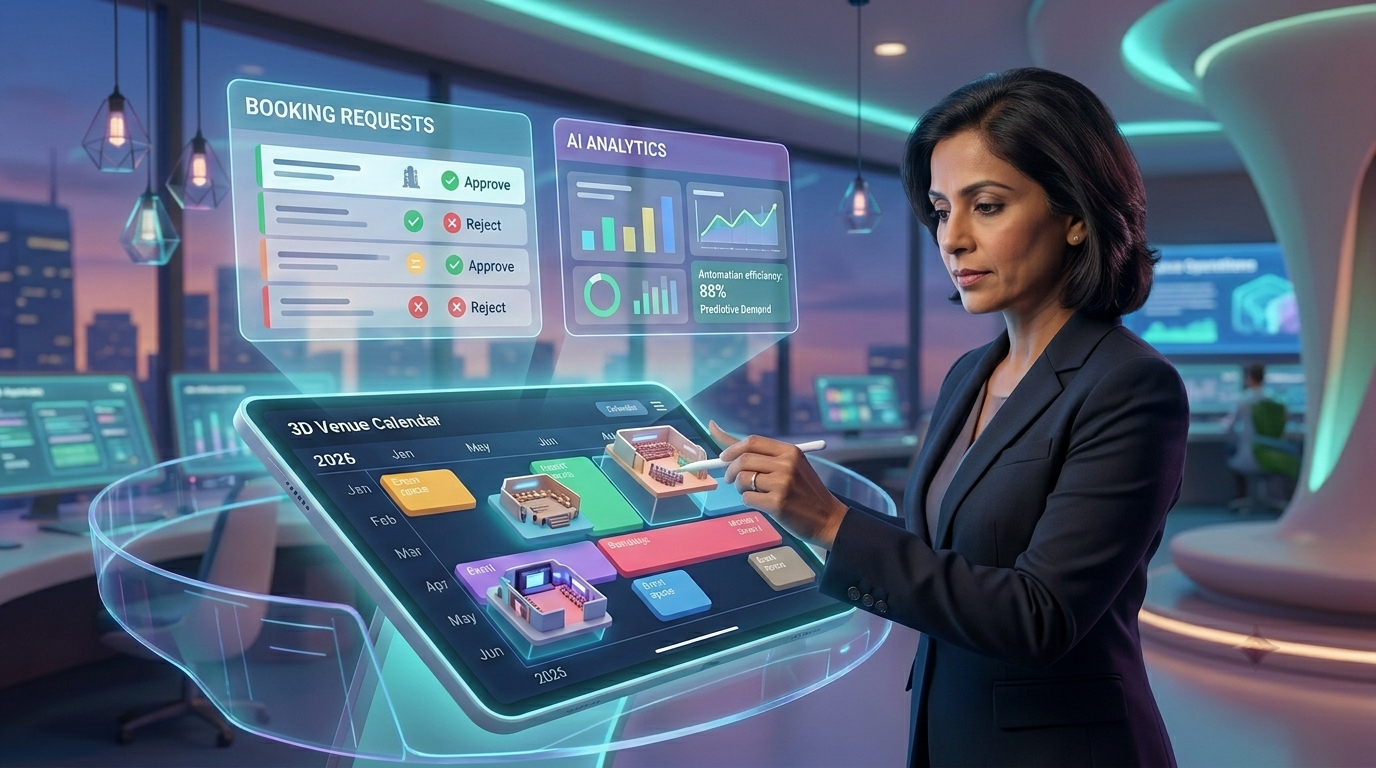
Event booking software requirements have changed since 2023. Venue managers increasingly expect customers to be able to start the booking process outside office hours, teams to respond faster with automation and AI-assisted workflows, approvers to act away from their desks, and booking systems to connect with the other systems already running the venue.
That does not mean every venue needs every new feature. A community theatre, house of worship, and park district have different workflows, approval rules, and levels of self-service. The useful question in 2026 is not “What features are new?” It is “Which capabilities have become operational requirements for the way our venue now works?”
This guide focuses on the five changes most worth testing when evaluating event booking software today.
Key takeaways
- 24/7 online inquiry and self-service expectations have changed what a booking system needs to do outside office hours.
- AI-assisted responses can speed up inquiry handling, but AI should support defined booking rules rather than inventing or approving them.
- Instant or near-instant confirmation matters for straightforward bookings, while complex requests still need approval workflows.
- Mobile approval capability reduces the dependency on a venue manager being at a desk before a booking can move forward.
- Integrations matter because booking data rarely lives alone. Event, ticketing, CRM, document, and financial workflows may all need to remain connected.
What changed in event booking software since 2023?
The biggest change is that the booking experience is no longer judged only by the calendar.
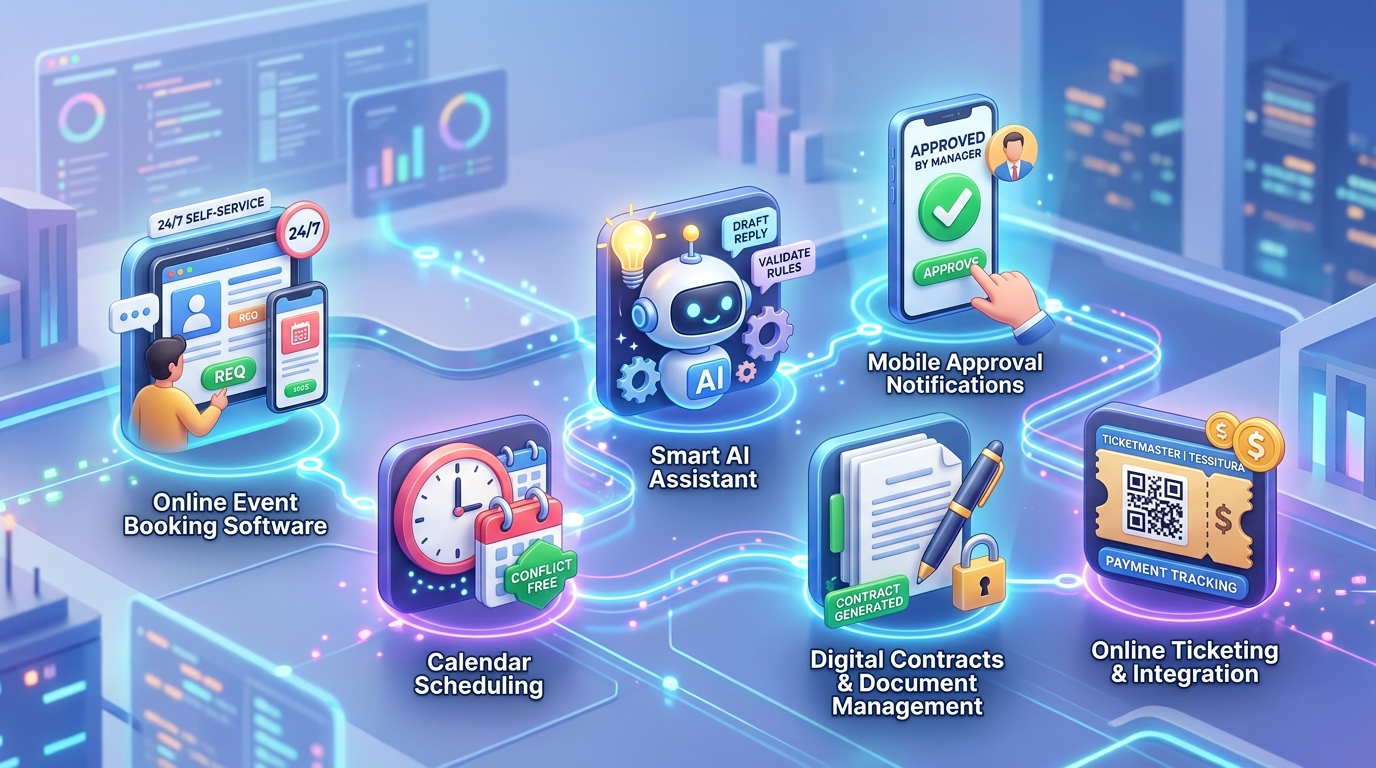
An event booking platform now sits in a larger digital journey. Renters may expect to submit a request whenever they are ready, staff may need to review it from outside the office, and the venue may need to move information automatically between booking, contracts, event operations, and connected systems.
The 2023-era checklist of “calendar, online form, confirmation email” is therefore too narrow for many community venues. In 2026, the stronger requirement is a booking workflow that can handle self-service, human review, automation, mobile decisions, and connected data without losing control of the venue’s rules.
VenueArc’s broader event-management model follows this connected approach, with booking, event management, contracts, CRM, documents, payment tracking, and reporting working around the reservation rather than treating the reservation as an isolated calendar entry.
For the larger event lifecycle, see Event Management Software: The Complete Guide for Venue Managers.
1. Has 24/7 self-service become a requirement?
For many venues, the booking process now needs to be available even when the venue office is not.
That does not necessarily mean every event should be automatically confirmed at 2:00 a.m. It means a potential renter should not have to wait until the next business day simply to begin the booking process.
A modern event booking system should let an organization distinguish between self-service inquiry, automated confirmation, and staff approval.
That distinction is especially important for VenueArc’s three core audiences.
A park district might receive a straightforward request for a community shelter. A community theatre might receive an inquiry for a rehearsal room. A house of worship might receive an outside rental request for a weekday evening while keeping high-priority ministry bookings under internal control.
These cases should not all follow the same path.
What to look for
| Requirement | Why it matters in 2026 |
|---|---|
| Online inquiry intake | Customers can start the process outside office hours |
| Real-time availability | Reduces unnecessary back-and-forth before a request is submitted |
| Automated confirmations where appropriate | Speeds up simple reservations |
| Approval routing | Keeps complex or sensitive requests under human control |
| Clear booking states | Prevents requests and holds from being mistaken for confirmed bookings |
The key question for a vendor is:
Can your system let us offer self-service without forcing us to make every booking self-service?
That is a much more useful question than simply asking whether the product has an online booking form.
2. What role should AI play in event booking?
AI-assisted inquiry handling is one of the most visible changes in event technology, but venue managers should be careful about confusing faster communication with better decision-making.
AI can be useful for tasks such as helping draft responses, summarizing an inquiry, identifying missing information, or directing a request into the correct workflow.
The underlying booking rules still need to come from the venue.
For example, a church may have a policy that outside groups require a certificate of insurance. A park district may apply different requirements depending on whether a renter is a resident or non-resident. A theatre may need to distinguish between a tentative hold and a confirmed performance.
An AI assistant should not improvise those rules.
The right AI question
Do not ask only:
“Does your event booking software have AI?”
Ask:
“What can the AI do, what information does it use, and what decisions always remain with our staff?”
That separates useful assistance from an attractive demo feature.
For example, a useful workflow could look like:
Inquiry arrives
↓
Required information is identified
↓
Missing details are requested
↓
Booking rules are checked
↓
Request enters the correct approval path
↓
Staff confirms, rejects, or requests changes
The important part is the governance layer in the middle.
Automation applied to an undefined booking policy only makes the existing confusion move faster.
3. Is instant confirmation now table stakes?
Instant confirmation is increasingly useful for simple, predictable reservations.
It can reduce the delay between a customer submitting a request and knowing whether the space is available. But “instant” should not mean “uncontrolled.”
A venue needs to know which reservations can safely be confirmed automatically and which need a human decision.
A useful event booking system should therefore support different confirmation paths.
| Booking type | Sensible workflow |
|---|---|
| Simple, low-risk reservation | Automatic or near-instant confirmation |
| External rental requiring documents | Request → review → approval |
| Event requiring staff coordination | Request → operational review → confirmation |
| Theatre performance hold | Hold → negotiation → contract → confirmation |
| Recurring internal booking | Policy-based recurring reservation with exceptions |
This is where booking states become more important than a simple calendar.
VenueArc’s booking workflow includes states such as Request, Hold, Booked, Budgeted and Cancel, alongside approval routing and conflict detection. The goal is not to eliminate people from the process. It is to make sure people intervene where judgment is actually required.
A venue should be suspicious of any platform that treats every event as identical.
4. Should venue managers be able to approve bookings from anywhere?
The approval bottleneck has changed.
A venue manager may not be sitting at a desktop when an important request arrives. A church administrator might be between services. A theatre manager may be on site for an event. A parks supervisor may be working across facilities.
Mobile approval has therefore become a practical workflow expectation rather than a novelty.
Microsoft’s current Power Automate documentation supports approval workflows in which users can review and respond to approvals away from a desktop, illustrating the broader shift toward mobile-accessible decision workflows. (learn.microsoft.com)
For venue booking software, the important question is not whether there is a mobile icon somewhere in the product tour.
Ask:
- Can an approver see the information needed to make a decision?
- Can they approve or reject a request?
- Can they leave a comment?
- Does the booking status update after the decision?
- Does the requester receive the outcome?
- Is the approval recorded in the booking history?
A mobile approval workflow is valuable when it preserves the same operational record as the desktop workflow.
It is much less useful if someone approves a request from a phone and then another employee has to manually update three spreadsheets.
Where approvals break
A booking system is most valuable when it tracks not just availability, but also who approved a request and what changed after that decision.
Book a Demo5. What integrations should event booking software support?
By 2026, booking software increasingly has to coexist with other systems instead of pretending it is the only system a venue uses.
A community theatre may already have ticketing infrastructure. A venue may have a CRM or financial workflow. A larger organization may have Microsoft identity and access processes that need to coexist with its operational software.
The important requirement is therefore not “How many integrations do you have?”
It is:
“Which systems do we already depend on, and what information needs to move between them?”
That is a much better starting point.
VenueArc’s current named integrations include Ticketmaster and Tessitura. Its integrations page should be used to verify the current connection options before making a purchasing decision.
This distinction matters because long integration lists can be misleading. Ten integrations you do not use are worth less than one reliable connection to the system that already runs your ticketing or event operation.
Build an integration map
Before choosing software, draw your current workflow:
Then mark where information currently gets copied manually.
Those handoff points are where integration has the most practical value.
What should an event booking platform automate, and what should stay human?
The best event booking software does not try to automate every decision.
A useful rule is:
Automate repetition. Keep judgment human.
| Task | Good automation candidate | Human judgment still useful |
|---|---|---|
| Availability checking | Yes | For exceptions |
| Inquiry intake | Yes | For unusual requests |
| Confirmation emails | Yes | For complex bookings |
| Conflict detection | Yes | To resolve the conflict |
| Approval routing | Yes | To make the decision |
| Contract generation | Yes | To review unusual terms |
| Payment reminders | Yes | For disputed balances |
| Booking policy definition | No | Yes |
| Exception handling | Partly | Yes |
| Final approval of sensitive bookings | Usually no | Yes |
That balance is especially important for houses of worship and community organizations where many bookings have context that is not represented by a simple “available / unavailable” field.
What does a modern event booking system need to connect?
Event booking software in 2026 should be evaluated as part of the broader event lifecycle, not just as a reservation interface.
At minimum, a venue manager should consider how booking connects to:
Calendar and availability
The source of truth for spaces, booking states, holds, and conflicts.
Event operations
The information staff need after the reservation is confirmed.
Contracts and documents
Rental agreements, insurance documentation, riders, and related records.
Payments
Deposits, outstanding balances, and payment history.
CRM or relationship records
The renter, organization, ministry, member, or client associated with the booking.
Reporting
Utilization, demand patterns, revenue, and operational performance.
VenueArc covers these areas through its booking, event-management, contract, CRM, document, payment, and reporting features. The event management feature set is the useful next step for organizations evaluating the lifecycle beyond the initial reservation.
How should a theatre, church, or park district evaluate the new requirements?
The requirements are different enough by vertical that one generic checklist can miss important problems.
| Organization | Requirement that deserves extra attention |
|---|---|
| Community theatre | Holds, confirmed bookings, event logistics, contracts, settlement-related workflows and ticketing integrations |
| House of worship | Recurring internal bookings, exceptions, volunteer permissions, outside rentals and approval control |
| Park district | Public-facing requests, approval workflows, permits, resident/non-resident rules and transparent reporting |
Community theatres
A theatre should test the distinction between a hold and a confirmed booking.
Ask the vendor to demonstrate a potential performance date being held, changed, released, and eventually confirmed. Then ask what happens to related contracts and event information as the booking moves through those states.
Houses of worship
A church, mosque, synagogue, or temple should test recurring events against exceptions.
For example, a recurring weekly service may occupy the same space for months while a holiday service changes the normal schedule. The important question is whether the exception can be handled without destroying the recurring booking pattern.
Park districts
A park district should test public request intake and approval.
Ask how the platform handles external requests, different facility rules, permits, and the information staff need before confirming use of a public facility.
The software should reflect the organization’s actual booking policy rather than force every facility into one generic model.
A 2026 event booking software checklist
Take these questions into your next software demo.
Customer experience
- Can customers submit requests outside office hours?
- Can the system distinguish self-service from staff-approved bookings?
- Can customers receive clear confirmation or status updates?
- Can required information be collected before a request reaches staff?
Automation and AI
- What tasks can the platform automate?
- Does it support AI-assisted inquiry handling?
- What information does AI use?
- Which decisions remain under staff control?
- Can automated workflows be audited?
Confirmation and workflow
- Can simple bookings be confirmed quickly?
- Can complex bookings require approval?
- Are holds different from confirmed bookings?
- Are conflicts detected automatically?
- Can recurring bookings have individual exceptions?
Mobile operation
- Can approvers review requests away from their desks?
- Can they approve, reject, or request changes?
- Does the booking update immediately after a decision?
- Is the approval recorded?
Integrations
- Which systems do we need to connect?
- What data moves between systems?
- Are the integrations current and supported?
- Can we export our booking data if we leave?
When newer does not automatically mean better
A 2026 feature list can become a trap.
You do not need AI because the brochure contains the letters “AI.” You do not need instant confirmation for bookings that always require committee approval. You do not need a dozen integrations when your organization relies on two systems.
The right event booking software is the platform that reduces friction without weakening the rules that keep the venue operationally safe.
For a very small venue with occasional bookings, a simpler booking tool may still be enough. For an organization with multiple spaces, recurring reservations, external renters, contracts, approvals, and several people managing the calendar, a purpose-built venue workflow is more likely to justify dedicated software.
The technology should follow the operation, not the other way around.
Where does VenueArc fit in the 2026 requirements?
VenueArc is built around the booking and event-management needs of houses of worship, community theatres, and park districts.
The platform provides a centralized booking calendar with conflict detection, booking states, approval routing, and confirmations. It also connects the booking record to event management, contracts, CRM, payment tracking, documents, reporting, and named integrations including Ticketmaster and Tessitura.
That makes VenueArc particularly relevant when the requirement is not simply “let people reserve a room”, but “let people request space, move through the correct approval path, and keep the resulting event information connected.”
You can review VenueArc’s booking and calendar capabilities alongside its event management functionality to see how the workflow is structured.
Frequently Asked Questions
- What are the most important event booking software requirements in 2026?
The requirements worth testing most closely are 24/7 inquiry and self-service capability, AI-assisted inquiry support, fast confirmation for suitable bookings, mobile approval workflows, clear booking states, and integrations with systems already used by the venue.
- Has self-service booking become standard for venues?
Self-service has become a stronger expectation for straightforward booking scenarios, but not every venue should offer unrestricted automatic confirmation. A capable event booking system should support both self-service and controlled approval workflows.
- Should event booking software include AI?
AI can be useful for inquiry assistance, information collection, response drafting, and routing requests. It should not be treated as a substitute for booking policy or authorized human decision-making.
- Can event booking software handle mobile approvals?
Some workflow platforms support mobile approval experiences, allowing approvers to review requests and respond without being at a desktop. Venue managers should test whether mobile approval updates the same booking record and preserves an audit trail.
- What integrations should a venue look for in event booking software?
Start with the systems your organization already relies on. For a community theatre, that may include ticketing. For other venues, CRM, finance, identity, or document workflows may be more important.
- Is AI-assisted booking better than human approval?
Not automatically. AI can reduce repetitive communication and help collect information, while human approval is still valuable for bookings involving policy exceptions, contracts, insurance, staffing, or sensitive organizational priorities.
Ready to simplify your venue operations?
See how VenueArc helps venue teams coordinate bookings, approvals, documents, and settlement without routine operational chaos.