Home/Features/Payment Tracker

PAYMENT TRACKER

Payment Tracker: Know Exactly Who Owes What, and When

A missed deposit deadline isn't a bookkeeping problem, it's a cash flow problem

Track every deposit, due date, and outstanding balance across all booked events in one real-time dashboard. No more chasing collections by email or spreadsheet.

✓ Real-time visibility on every payment
✓ Spot overdue balances instantly
✓ No more spreadsheet chasing
⚠️
6
OVERDUE
📅
3
DUE TODAY
Payment Tracker
Event Due Date Amount Status
Community Theatre Mainstage Aug 12 $2,500 ⚠️ Overdue
Wedding Reception - Grand Hall Aug 28 $3,200 80% Collected
Youth Concert Series Jul 30 $1,500
38
PAID
🔔
12
UPCOMING

THE DASHBOARD

What You'll See

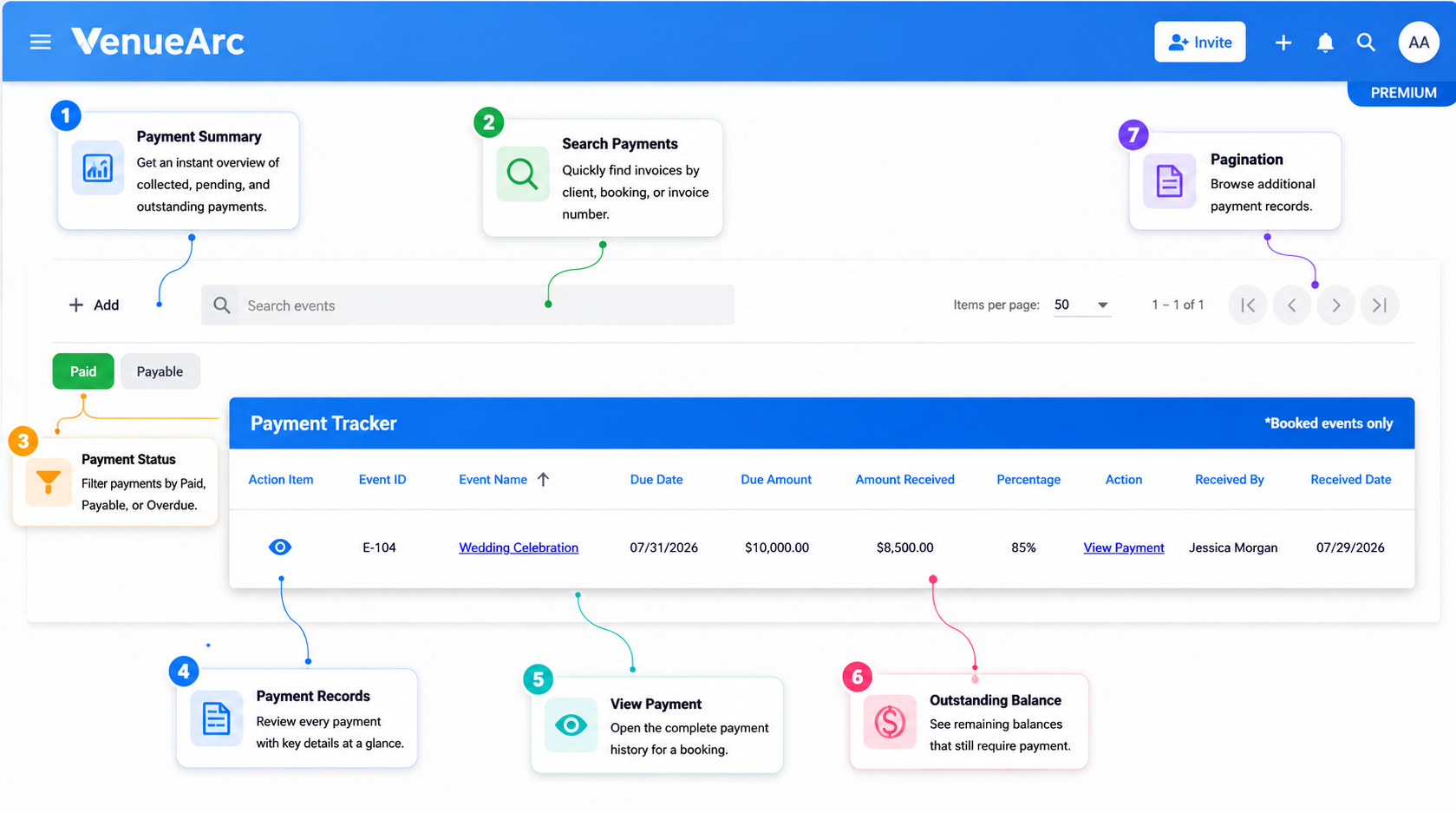
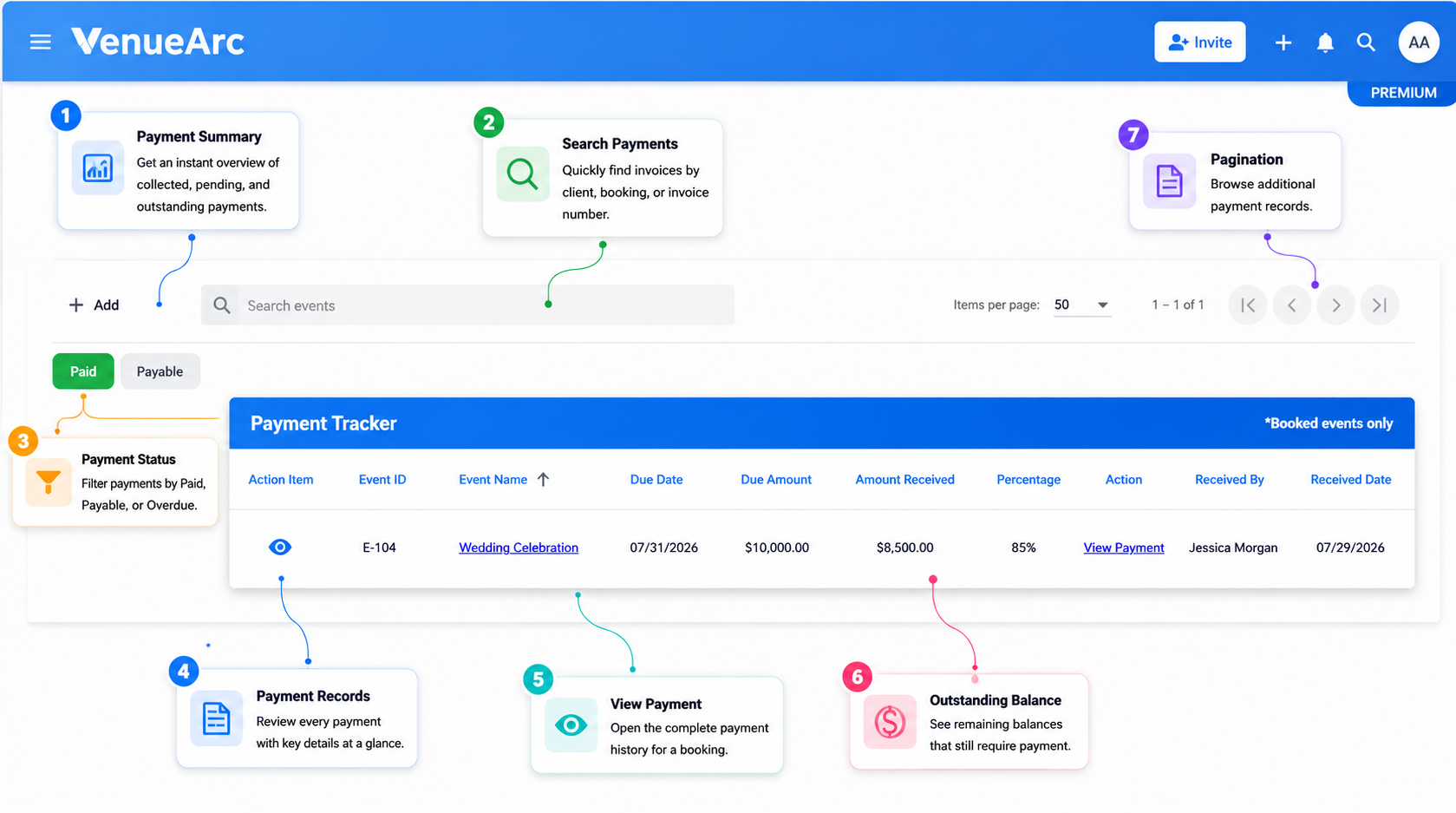
Open Payment Tracker and every booked event with a payment schedule shows up as a row, with the fields your team actually needs to act on:

1
Event ID and Event Name

linked directly to the booking, so you can jump into full event details in one click

2
📆 Due Date

the date the next (or final) payment is expected

3
💲 Due Amount

the total owed for that event

4
⬇️ Amount Received

what's actually been collected so far

5
📊 Percentage

collected-to-date, calculated automatically, so partial payments don't require mental math

6
👤 Received By / Received Date

shows who recorded the payment and when it was received

Everything you need is right here—track, review, and stay ahead of every payment.
VenueArc Payment Tracker annotated dashboard

CORE FUNCTIONALITY

Key Features

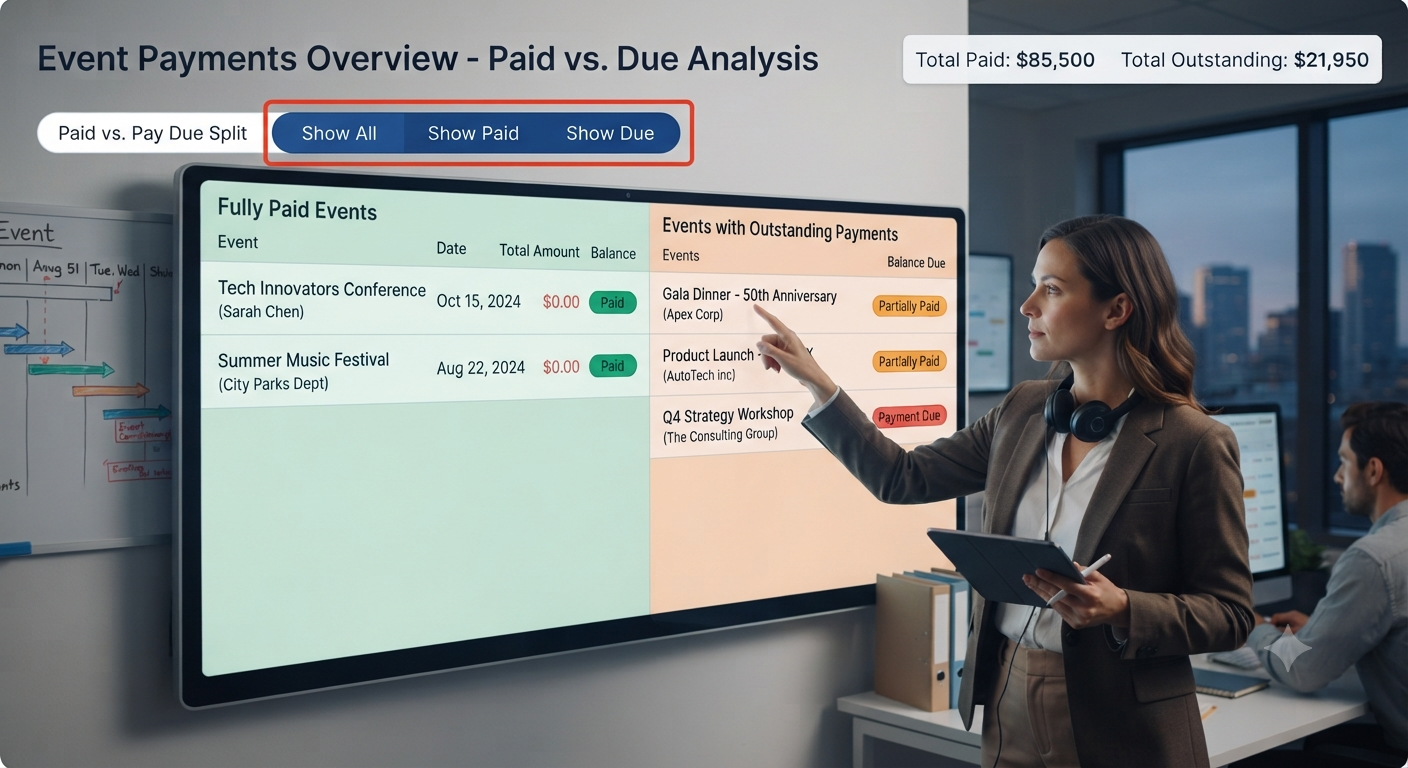
Paid vs. Pay Due Filtering

Toggle between fully paid events and events with an outstanding balance. A staff member handling collections for the week doesn't need to scroll every booking, just the ones with money still due.

  • Streamlined workflow
  • Real-time insights
  • Reduces manual work
  • Better team coordination
Payment dashboard showing paid and pending payment statuses

Dashboard Preview

Percentage-Based Progress

Every event shows collected-to-date as a percentage, not just raw numbers, making it faster to spot which balances are nearly closed and which are barely started.

  • Streamlined workflow
  • Real-time insights
  • Reduces manual work
  • Better team coordination
Analytics dashboard with progress bars and completion percentages

Dashboard Preview

Full Modification History

Every payment record logs who made the last change and when. If a client disputes a balance or a manager needs to confirm when a deposit was recorded, the answer is already on the record.

  • Streamlined workflow
  • Real-time insights
  • Reduces manual work
  • Better team coordination
Activity log and transaction history with timestamps and user records

Dashboard Preview

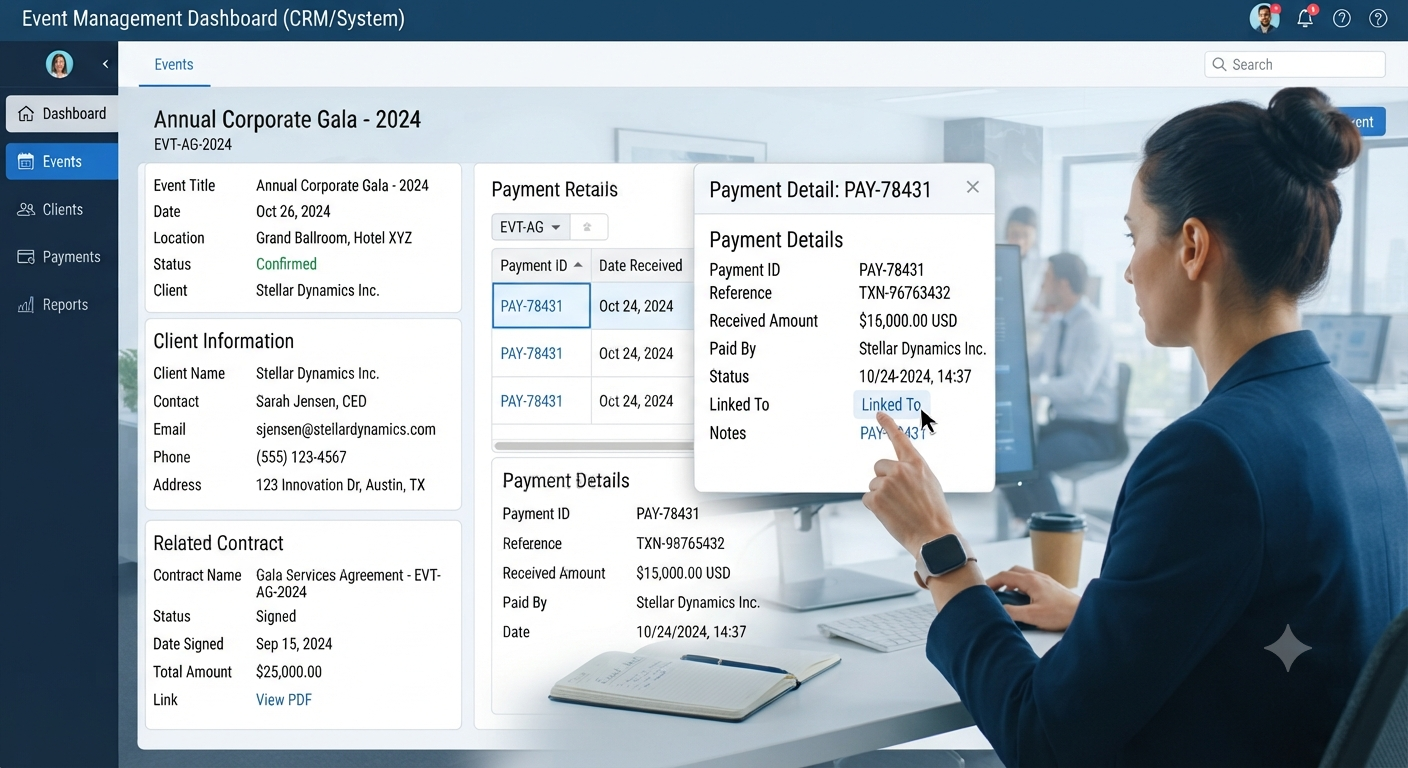
Direct Event Linking

Click through from any payment row straight into the linked event for contract terms, client details, and booking history, no separate lookup required.

  • Streamlined workflow
  • Real-time insights
  • Reduces manual work
  • Better team coordination
Event booking interface showing connection between payment records and event details

Dashboard Preview

A Real Scenario: Chasing a Deposit Before Opening Night

A community theatre books its mainstage for a six-week run, with a deposit due 30 days out and the balance due at load-in. Without a shared system, that due date lives in an email thread, a signed contract, or a box office manager's memory, and it's easy for a deposit to slip a week past due while everyone assumes someone else is tracking it.

With Payment Tracker, that event shows up in the Pay Due filter the moment its due date approaches, with the exact amount outstanding visible next to it. The box office manager doesn't need to check the contract or email the finance volunteer, the dashboard already has the answer, and the follow-up email can go out the same day the balance is flagged instead of a week after it should have.
📅
Booking
⏱️
30 Days
💳
Due
🎭
Opening
Community Theatre Mainstage
On Track
Deposit Amount $5,000
Due Date 30 Days Out
Run Length 6 Weeks

BENEFITS

Why It Matters for Venue Operations

Houses of worship, community theatres, and park districts often run events with lean, sometimes volunteer-heavy teams, where the person who booked the event and the person tracking payment might not be the same person. Payment Tracker closes that gap by giving the whole team, booking staff, finance, and management, the same live numbers, so no one's chasing a balance that was actually paid two weeks ago, and no one's assuming a balance is settled when it isn't.

Know What's Paid

See collected payments at a glance with automatic percentage tracking, eliminating confusion and duplicate follow-ups.

📅

Know What's Due

Never miss a deposit deadline. Outstanding balances are flagged automatically before they slip past their due date.

🤝

Keep Everyone Aligned

Your whole team sees the same live numbers. No more conflicting information between booking, finance, and management.

WORKFLOW

How It Works

01

If you're checking on a specific event

Search by event name or ID, open the record, and see due date, amount received, and percentage collected in one view, then click through to the full event if you need contract or client context.

02

If you're running weekly collections

Filter to Pay Due, sort by due date, and work down the list of outstanding balances, oldest or nearest-due first, without opening a single spreadsheet.

SHOWCASE

See It In Your Dashboard

Three views of Payment Tracker in action

01 / 03
Payment Tracker Dashboard

Payment Tracker Dashboard

View all events with payment schedules at a glance

02 / 03
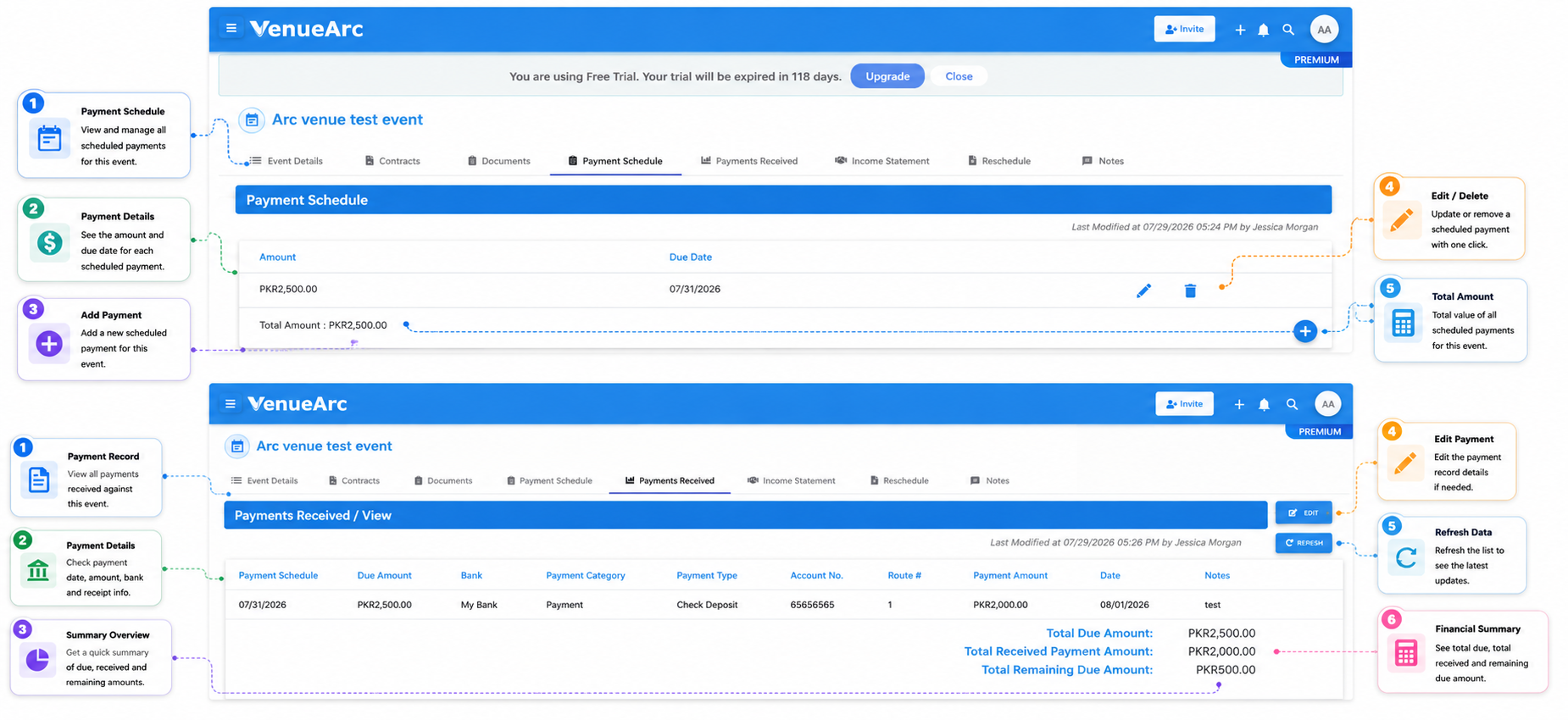
Payment Scheduled vs. Received

Payment Scheduled vs. Received

Track progress from deposit to final balance

03 / 03
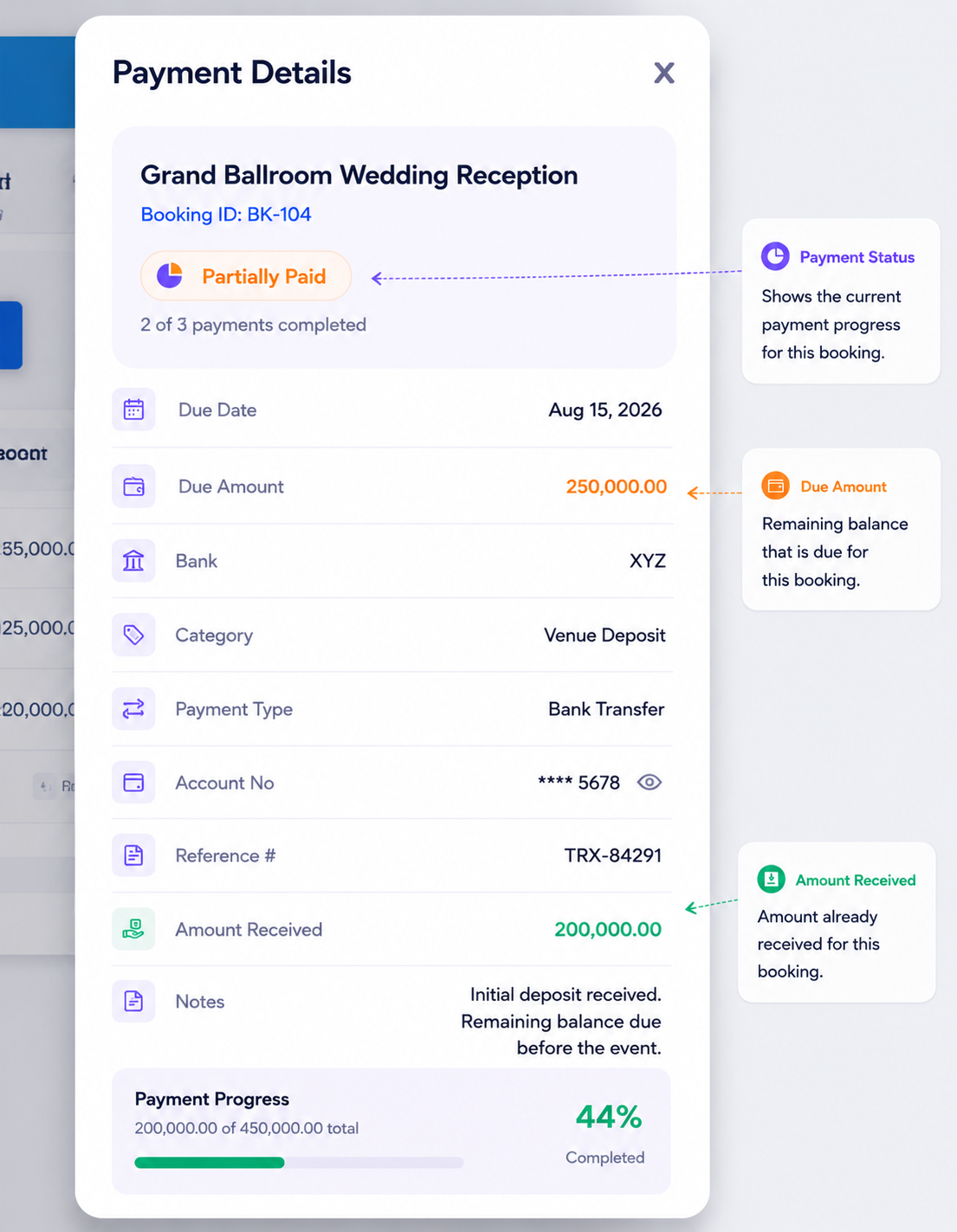
Payment Details

Payment Details

Drill into full payment history and records

Frequently asked questions

Does Payment Tracker only show booked events?
Yes. Payment Tracker is scoped to booked events only, so the dashboard reflects confirmed revenue and outstanding balances, not tentative or unconfirmed bookings.
Can I see who made a change to a payment record?
Yes. Every record shows who modified it and the date of the most recent change, giving you a built-in audit trail for every payment.
How do I know which clients still owe money?
Use the Pay Due filter to instantly narrow the dashboard to events with an outstanding balance, with due dates and amounts visible at a glance.
Is Payment Tracker connected to Event Booking?
Yes. Payment Tracker pulls directly from your booked events, so there's no duplicate data entry between booking and finance tracking.
Can I search for a specific event's payment status?
Yes. Use the search bar to find any event by name or Event ID, and view its full payment breakdown, due date, amount received, and percentage paid.
Does Payment Tracker replace accounting software?
No. Payment Tracker is built for operational visibility into deposits and balances tied to bookings, not for full accounting or tax reporting. It's designed to work alongside your existing finance or accounting tools.

Ready When You Are

One platform. Every payment. No more collection delays.

Book a Demo