venue management
Calendar Management for Venues: From Chaos to Clarity
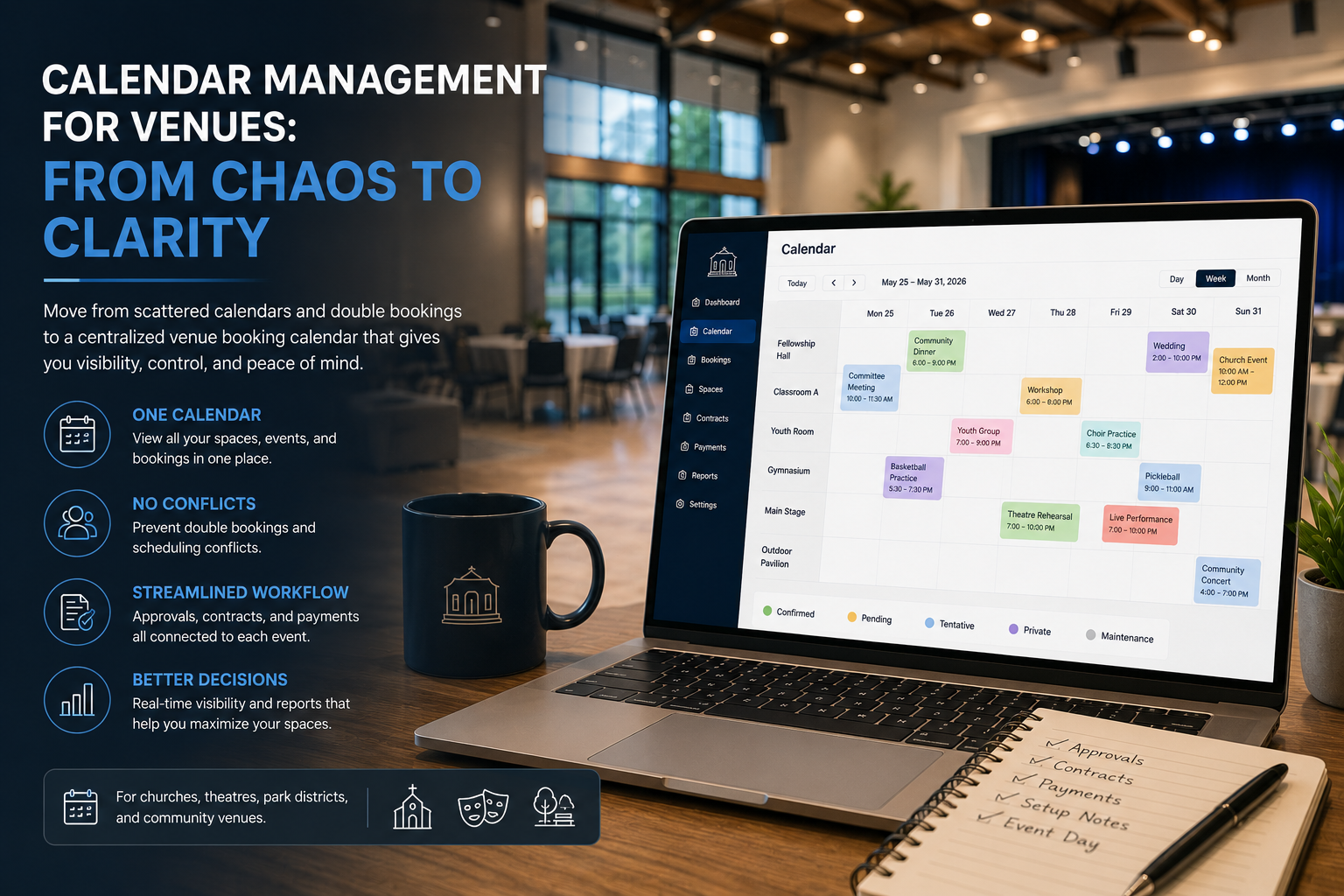
Learn how churches, theatres, and park districts move from fragmented calendars to a venue booking calendar that prevents conflicts and improves visibility.
IN THIS ARTICLE
A venue calendar stops being “just a calendar” the moment more than one space, approval workflow, or paid booking enters the picture. Churches, community theatres, and park districts often begin with Google Calendar, Outlook, or spreadsheets because those tools are familiar. The problem appears later, when multiple staff members, volunteers, renters, contracts, and payments start relying on the same booking information. At that point, the challenge shifts from scheduling events to managing the operational workflow around them.
For venue teams dealing with scheduling conflicts, duplicate entries, and scattered information, the goal is not simply moving to a different calendar. The goal is creating a single source of truth that connects availability, approvals, bookings, and operations. This guide explains when simple calendars stop working, how venue calendar management differs from general scheduling tools, and how to transition without losing history or disrupting existing operations.
Definition: A venue calendar is a scheduling system that manages reservations, availability, approvals, and booking workflows across multiple spaces for organizations such as churches, community theatres, and park districts.
When does a shared calendar stop working?
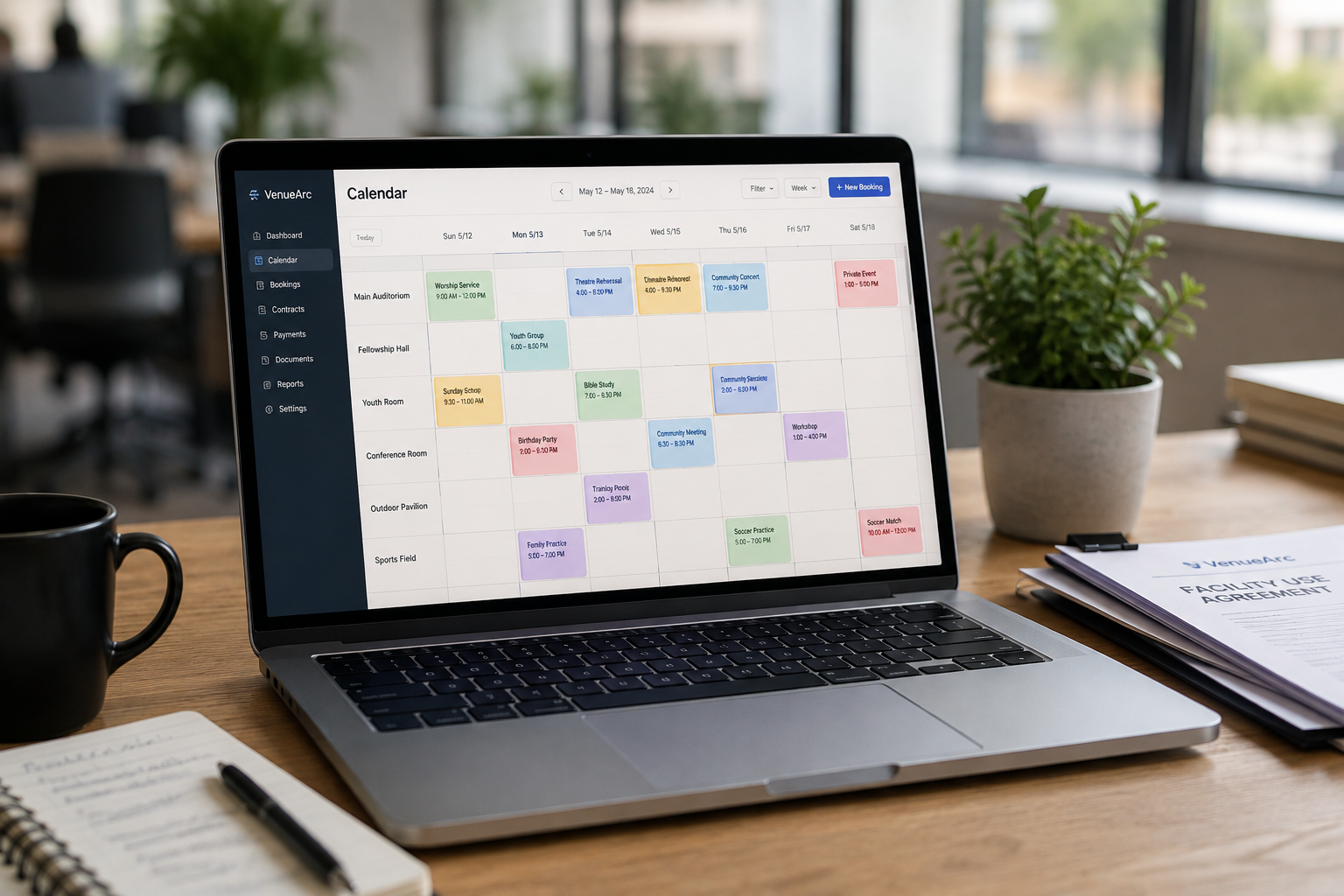
A shared calendar usually stops working when your venue has more than one bookable space, any booking requiring approval, or any booking that generates a contract or invoice. Those three conditions create operational requirements that generic calendars were never designed to handle.
A simple Google Calendar works well for:
- A single room
- One coordinator
- Internal events only
- No approval process
Problems begin appearing when the venue grows.
Consider a community theatre:
- Main stage
- Studio theatre
- Rehearsal hall
- Lobby event space
The calendar no longer answers a simple question:
“Is the venue available?”
Instead, staff need answers to questions like:
- Which space is available?
- Is the booking a hold or confirmed?
- Who approved it?
- Is there a contract?
- Has the renter paid the deposit?
- Is setup time included?
Generic calendars rarely answer those questions.
Why fragmented calendar systems create problems
Most venue scheduling problems are not caused by a bad calendar.
They are caused by information being spread across multiple systems.
A common setup looks like this:
| Function | Location |
|---|---|
| Availability | Google Calendar |
| Approvals | |
| Contracts | Shared Drive |
| Payments | Spreadsheet |
| Setup Notes | Staff memory |
| Reporting | Manual compilation |
This creates the exact operational gaps that venue teams face:
- Double bookings
- Disconnected systems
- Manual bottlenecks
- Communication gaps
- Lack of visibility
The issue is not any one tool. The issue is what happens between the tools.
Why booking states matter more than colors
Most shared calendars rely on colors. Professional venue scheduling relies on booking states. Those are not the same thing.
A calendar color may indicate an event category. A booking state indicates operational status.
For example:
| State | Meaning |
|---|---|
| Request | Inquiry submitted |
| Hold | Tentatively reserved |
| Booked | Confirmed reservation |
| Budgeted | Planning underway |
| Cancelled | No longer active |
Venue teams need to know more than whether a date appears occupied. They need visibility into where each reservation sits within the booking lifecycle.
A theatre hold is not the same as a confirmed booking. A church space request is not the same as an approved event. A park district permit request is not the same as a reservation.
Without state management, staff frequently assume dates are unavailable when they may still be available or vice versa.
Who should see what on a venue calendar?
Venue calendar visibility should match responsibilities rather than giving everyone identical access.
Different users need different views.
Church operations
- Pastor sees ministry events
- Volunteer coordinator manages room requests
- Finance team views contracts and payments
- External groups see request forms
Community theatre operations
- Production manager sees rehearsal schedules
- Front-of-house coordinator sees event timings
- Finance staff see rental agreements
- Renters see confirmed dates only
Park district operations
- Recreation supervisors manage facility inventory
- Residents submit requests
- Leadership reviews utilization reports
- Board members access reporting summaries
The challenge grows when volunteers are involved. Volunteer-heavy organizations often struggle with permission management, which is one reason clear access rules matter as much as the booking workflow itself.
The anatomy of a calendar conflict
Calendar conflicts rarely happen because someone intentionally double-books a space.
Most conflicts happen because of process breakdowns.
Consider a church fellowship hall:
- A ministry leader verbally requests Tuesday evening.
- A volunteer adds the booking to a spreadsheet.
- An outside renter emails separately.
- Another staff member checks Outlook but not the spreadsheet.
- Both events are approved.
Neither person made a significant mistake. The problem was lack of centralized visibility.
The same scenario happens in theatres when rehearsal holds, performance dates, and outside rentals are tracked in different places. It happens in park districts when permit requests and calendar schedules follow separate workflows. The result is the same: a conflict becomes visible only after commitments have already been made.
Need help evaluating your workflow?
If your team is comparing booking tools, the most useful next step is a workflow-specific demo based on your actual requests, holds, and approval rules.
Book a DemoHow to transition without losing history
Moving away from shared calendars does not require starting from zero.
The best venue migrations usually happen in stages.
Step 1: inventory existing sources
Identify:
- Google Calendars
- Outlook Calendars
- Shared spreadsheets
- Booking request forms
- Historical event records
Step 2: identify active spaces
List every bookable asset:
- Rooms
- Halls
- Stages
- Classrooms
- Fields
- Courts
- Community centers
Step 3: map approval workflows
Document:
- Who approves requests
- Who manages contracts
- Who manages payments
- Who controls calendar changes
Step 4: import active events
Transfer current bookings before older historical records.
Step 5: keep legacy systems read-only
One of the most effective approaches is keeping old spreadsheets and calendars available in read-only mode for a temporary transition period. Staff maintain access to historical information without creating competing scheduling systems.
The goal is reducing confusion while people adapt to the new workflow.
Public availability vs internal scheduling
Public availability calendars and internal scheduling calendars serve different purposes.
External users need to know:
- Whether a space is available
- How to submit a request
Internal teams need to know:
- Setup requirements
- Holds
- Payments
- Contracts
- Staffing assignments
Not every piece of information should be publicly visible.
Separating external availability views from internal operational calendars reduces confusion while protecting sensitive information.
This distinction becomes increasingly important as facilities begin accepting more external rentals.
When a dedicated venue calendar is worth it
Not every venue needs dedicated scheduling software.
A single-room venue with limited annual bookings may be perfectly successful using existing tools.
A purpose-built venue calendar becomes valuable when:
- Multiple spaces are bookable
- Volunteers manage scheduling
- Approvals are required
- Contracts exist
- Payments must be tracked
- External renters are involved
- Reporting becomes important
At that point, calendar management becomes an operational process rather than a scheduling task.
That is where organizations typically benefit from moving beyond generic calendars and adopting venue-focused systems designed around booking workflows instead of simple appointment management.
The next decision
If your venue currently manages bookings across multiple calendars, spreadsheets, and email chains, the next decision is not selecting a scheduling tool. The next decision is determining whether your organization is ready to establish a single source of truth for availability, approvals, and bookings.
For churches, community theatres, and park districts, calendar management becomes dramatically simpler when every booking follows the same workflow. The natural next step is evaluating whether your current process can support future growth or whether it is time to adopt a dedicated booking and calendar management system.
Related reading
Frequently Asked Questions
- When does a shared calendar stop working for a venue?
It usually stops working when a venue has multiple bookable spaces, approval requirements, or bookings that must track contracts or payments.
- Why are booking states more important than colors?
A color only shows a category. A booking state shows whether a request is pending, on hold, approved, cancelled, or confirmed.
- What is a single source of truth for venue scheduling?
It is one master calendar and booking record that everyone—staff, volunteers, and approvers—uses to manage availability, holds, approvals, and event details.
- Should public calendars show internal operational details?
No. Public calendars should show availability and request options, while staff systems keep internal details like staffing, payments, and contract status.
- When is a dedicated venue calendar worth it?
It becomes worth it when a venue carries multiple bookable spaces, approval steps, renters, contracts, or recurring reporting needs.
Ready to simplify your venue operations?
See how VenueArc helps venue teams coordinate bookings, approvals, documents, and settlement without routine operational chaos.